
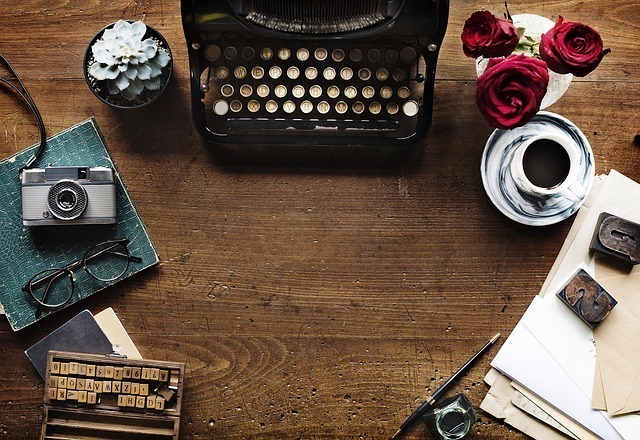
With all that effort placed on writing, it’s important to keep our work somewhere safe. And organised.
When I was younger, I used to write my ideas on post-its. And as you guessed it, I misplaced most of them. Sometimes I found them after a quick search, other times I found them years later hidden all the way at the back of a drawer, plastered or wedged into the wood. As I got older, I tried different techniques, from keeping audio files, journals, and having random Word files squirrelled away in oddly named folders. It’s important to keep your notes, ideas, pictures, recordings, research, and writing safe to avoid regrets and to save you the trouble of remembering everything you have written.
The most important thing is to find what works for you. Through trial and error, try these tools and see what works for you. You can always use more than one tool.
Do not forget your Sensory Folder!
Whatever you choose to record your work, always keep your sensory folder in mind. If you are using a journal, try writing your sensory experiences in a different colour to help you distinguish it from your other writing.
In the past, our options were limited: pen/pencil and paper and a leather bag for clippings. With modern conveniences our options have expanded ten fold. We can now utilise what best suits our needs with computers, smart devices and audio recorders.
Listed below are some tools to work with.
Pen & Paper:
Let’s start with the classics. A good notebook is unquestionably a great favourite amongst most writers. In 1986, Bruce Chatwin bought up every little black notebook from a family-owned company in France before it went out of business. In 1997, Moleskin brought back Chatwin, Vincent Van Gogh, Pablo Picasso and Ernest Hemingway’s favourite notebook.
In 1992, Paperblanks started its own creative journey with its beautiful designs. The covers are stunning, and I often take my time choosing one for a project.
For those who love ink pens, I only recently discovered MD Paper, which has apparently been in production since the 1960s. This paper is creamy and designed to prevent feathering, the irregular spreading of ink, for fountain pens.
These are my top three favourite notebooks. If you have any suggestions, I would love to hear from you.
Extras: Flashcards are a fantastic way of keeping basic information on plot, scenes, characters, places and items conveniently separate and easy to shuffle. You can keep everything in a box, along with things you have collected outside such as photographs, pamphlets, information booklets, clippings, etc.
Now I’ve recently got into Traveler’s Notebooks. They are versatile and customisable. I have the standard-sized one that I take with me whenever I leave my home and a small leather-sleeved journal for those days I’m out with my kids and have little bag room. I’ve customised the Traveler’s Notebook to contain a sticker release booklet, refillable journals, one sketch booklet, a plastic cardholder and a kraft paper folder, plus one sleeve to hold repair material, just in case. Both notebooks also have a pen strap.
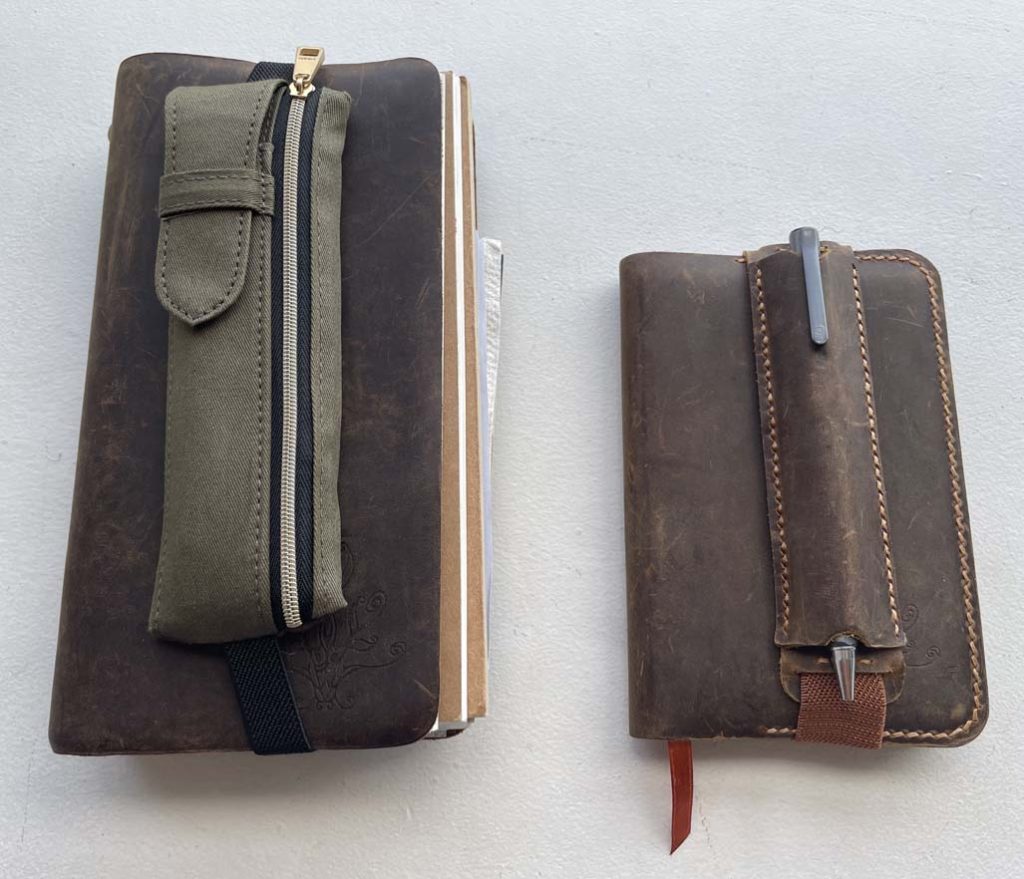
Left: Traveler’s Notebook (standard size), Right: Leather sleeve for A6-sized notebooks.
Typing Devices:
Computers are the first to come to mind. So do laptops, smartphones, and smart tablets with keyboard accessories.
There is another option that has been making the rounds in the last decade or so: writing tablets and devices such as the Freewrite, the AlphaSmart, the Byok, SolarWriter, and the ReMarkable. And don’t forget the original that started all of this – the old-fashioned typewriter! Apparently, it’s making a comeback. There are even typewriter keyboards with Bluetooth connectivity. There are many more, and the list keeps growing with each passing year.
The most important thing about using technology is to make sure you back up your main files and folders in multiple locations. Apart from the physical devices, have your work saved somewhere safe online just in case your physical device crashes. My go-to free programs are Dropbox, Google Drive, and iCloud.
Choose a digital device within your price range, something that will make collecting and organising information easy. Consider something portable if you want to write away from your desk.
Programs & Apps:
Electronic devices are fantastic for keeping records in order. The best part is the ability to synchronise between programs and apps.
Apps can turn devices into portable workstations. One of the best apps out there is Scrivener, which has a computer and iOS option that allows easy synchronising between devices.
I work with Scrivener because when I have ideas or take photos while I’m outside, I can upload the data directly into the correct file from my phone without having to go home and log onto my computer.
Scrivener can be both simple and complex. The program is designed for writers who do a lot of research. Once you open a project, you get the default folders including Manuscript, Characters, Places, Notes, and Research set and ready to go. But if you want to use the specialised features, the Scrivener website offers free video tutorials to help you on your way. For example, there are default templates that can be altered, and you can even create your own custom templates.
Another app I have tried out is Story Planner for Writers. It’s a simpler and easier app to work with while using your iOS device, but it cannot synchronise with your computer.
Have a look around the app stores and search through Google for more options. I’ve heard a lot of good things about Ulysses, Evernote, AutoCrit, WriterDuet and Dabble.
I found Celtx great for scriptwriting when it was free in the app store. Unfortunately, the company started asking for subscriptions. Monitor competitors if your favourite app/program suddenly changes. Also keep your files in a universally readable format, i.e. doc, jpeg, etc. PDFs are great, but if you need to edit your work, you will need a separate program that allows you to edit them.
A quick word on Microsoft Word: This program is the default for most schools and businesses and. Word works well, and if you know how to use the features, you can unlock a lot of useful tools.
And there you have it. Please feel free to send me an email with your suggestions!
Homework: Where to store ideas?
Create a place to keep ideas. Find your format: Computer? Dropbox? iCloud? Physical notebook?
NEXT:
Please look forward to the next post: 1-5 Rituals